SetMetric guide
How to track weights and reps at the gym
To track weights and reps, record the exercise, the weight you used, and the repetitions you completed in each set. Add the date and keep your units consistent. You can do this in a notebook, a phone note, a spreadsheet, or a workout log app. The aim is to leave a record you can understand when you return to the same exercise.
Start with the date and the exact exercise
Create a dated entry for each workout. Give each exercise a clear name, such as Barbell Bench Press, Incline Dumbbell Press, or Seated Cable Row. Keep using the same name for the same movement so you can find previous results.
Record a variation or equipment detail when it changes what the entry means. A flat bench press and an incline press need separate records. For a machine, identifying the machine or setup can help you compare sessions later. In a notebook or spreadsheet, put these details beside the exercise name.
Record the result of every set
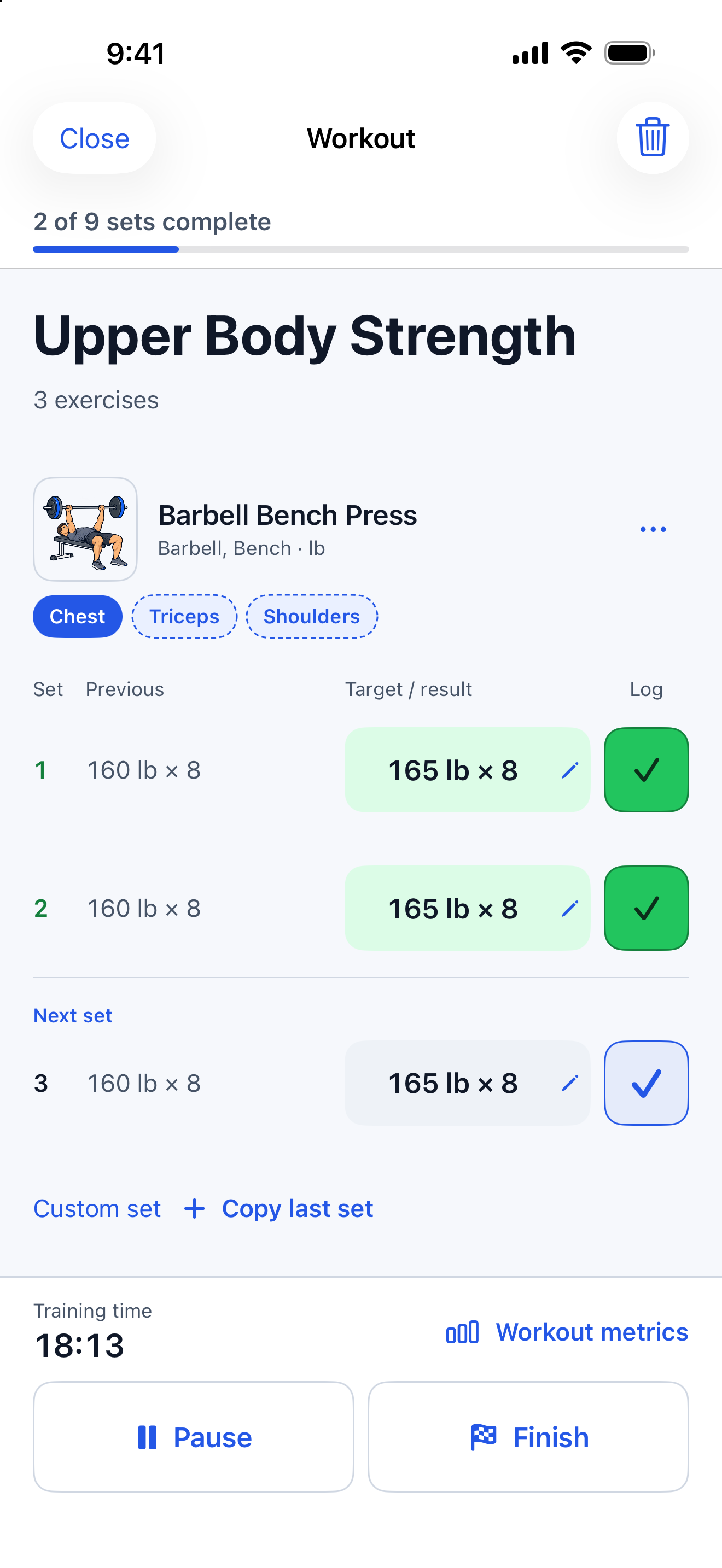
Write one line for each set soon after you finish it. Include the weight, its unit, and the reps you completed. A shorthand entry such as 165 lb × 8 means eight repetitions at a recorded load of 165 pounds.
Keep planned targets separate from completed results. If you planned eight reps and completed six, the result is six. If you changed the weight between sets, give each set its own weight. Three rows preserve those differences better than a single summary such as 3 × 8.
You can label warm-up sets separately from working sets in your own log. This keeps the preparation and the main recorded work clear when you look back. The labels describe what you did; this guide does not prescribe how many sets or which weights to use.
Example workout log: November 18, 2026
| Set | Total weight | Completed reps |
|---|---|---|
| 1 | 165 lb | 8 |
| 2 | 165 lb | 8 |
| 3 | 165 lb | 6 |
Illustrative working-set results, not suggested training weights. The third set records six completed reps even if the original target was eight. Any warm-up sets would be recorded separately.
Use a clear weight convention
For a barbell exercise, record the total load: the actual bar weight plus the plates on both sides. Check the bar rather than assuming every bar weighs the same. If you include other weighted attachments in your total, keep that convention consistent.
For dumbbells, decide whether your record means the weight of one dumbbell or the combined weight of the pair. For example, two 40 lb dumbbells could be written as 40 lb per hand or 80 lb total. Label your choice so the next entry means the same thing.
For a weight-stack machine, record the displayed weight or setting and identify the machine. Stack numbers from different machines or different cable setups may represent different resistance. Compare the same machine and setup when reviewing those entries.
Keep pounds and kilograms clear
Choose pounds or kilograms for your log and show the unit beside the weight. In the US, gym equipment often uses pounds, but check the markings on the equipment you use. A bare number such as 40 becomes ambiguous if you switch gyms or units.
If you change units, keep the original entry identifiable. Use a consistent conversion method rather than rewriting old results from memory. A bodyweight exercise can be recorded with the reps completed; identify any added load separately so you can understand the entry later.
Compare like-for-like sessions
Before repeating an exercise, find its last comparable entry. Check the exercise variation, equipment, weight convention, and units. Then compare the actual sets. You might see more completed reps at the same load or a different load for the same number of reps.
Keep the context in view. A change in setup, range of motion, or the way you count repetitions can change the comparison. One session is a record of that session. Look across repeated comparable workouts before drawing a conclusion about your training.
Total weight multiplied by reps can summarize recorded work, but one larger total does not establish improvement by itself. Extra sets or a different exercise can change that number. Your log helps you review what happened; it does not automatically determine when to increase a weight.
Make the record easy to keep
Keep your log open and use the same layout each time. At the end of the session, check for missing weights, units, or reps while the details are still fresh. If you cannot remember a result, mark it as unknown rather than guessing.
Before your next workout, open the previous entry. A useful record lets you answer a practical question: what did I actually lift last time?
A quick workout-log checklist
- Date and exact exercise variation recorded.
- Weight and unit shown for every weighted set.
- Barbell total or dumbbell convention clear.
- Actual completed reps recorded for each set.
- Warm-up and working sets distinguishable where relevant.
- Previous comparable workout easy to find.
Track weights and reps in SetMetric
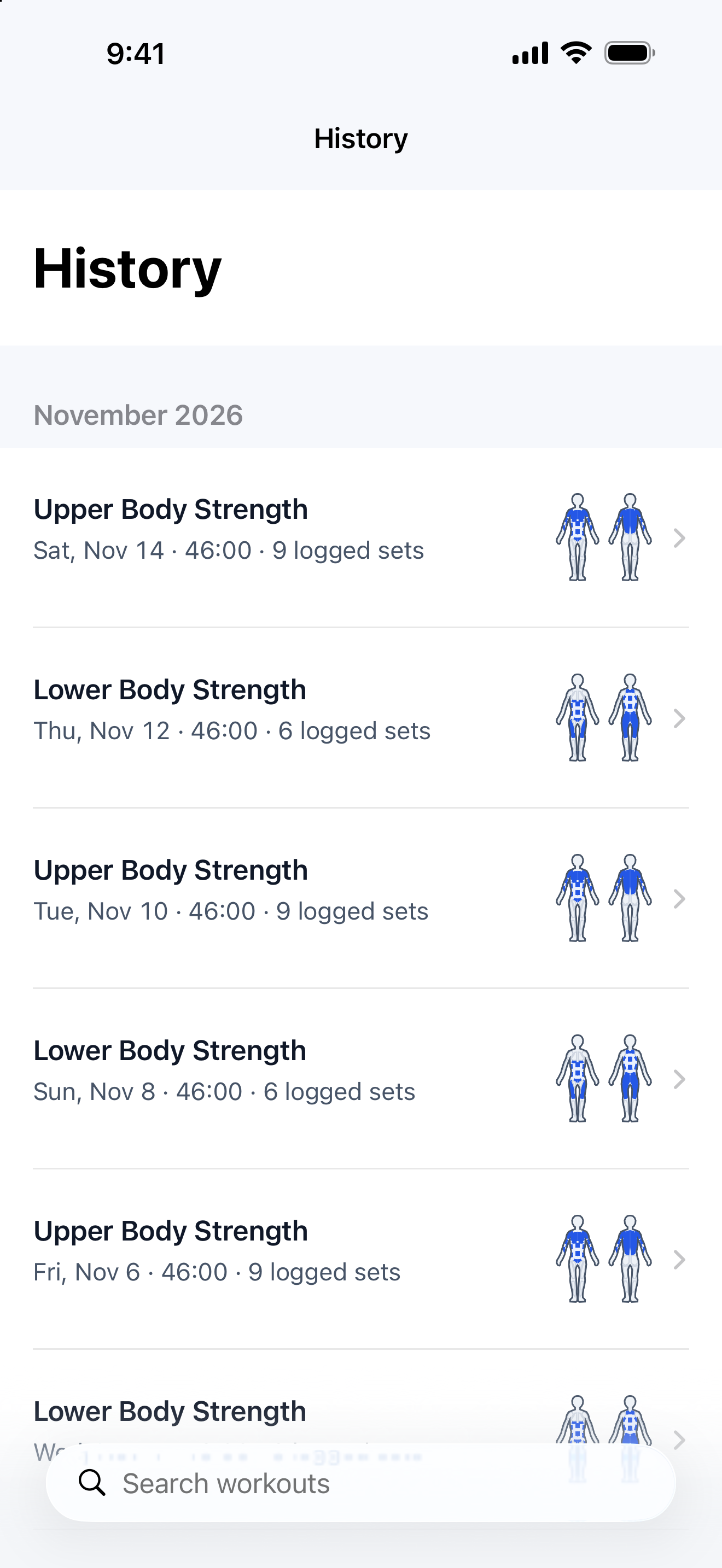
SetMetric is an iPhone workout log with planned targets, completed set results, workout history, and exercise progress. You can use pounds or kilograms. A SetMetric account is optional for logging on your iPhone; cloud sync is optional too. Workout logging requires an active trial or subscription.
- Create a workout, choose the exercise, and add your set targets.
- After a set, tap the checkmark if you completed the target. If the weight or reps differed, enter the actual result.
- Finish the workout and open it in History to review the saved sets.
- Use Progress to review recorded results for an exercise before your next comparable session.